
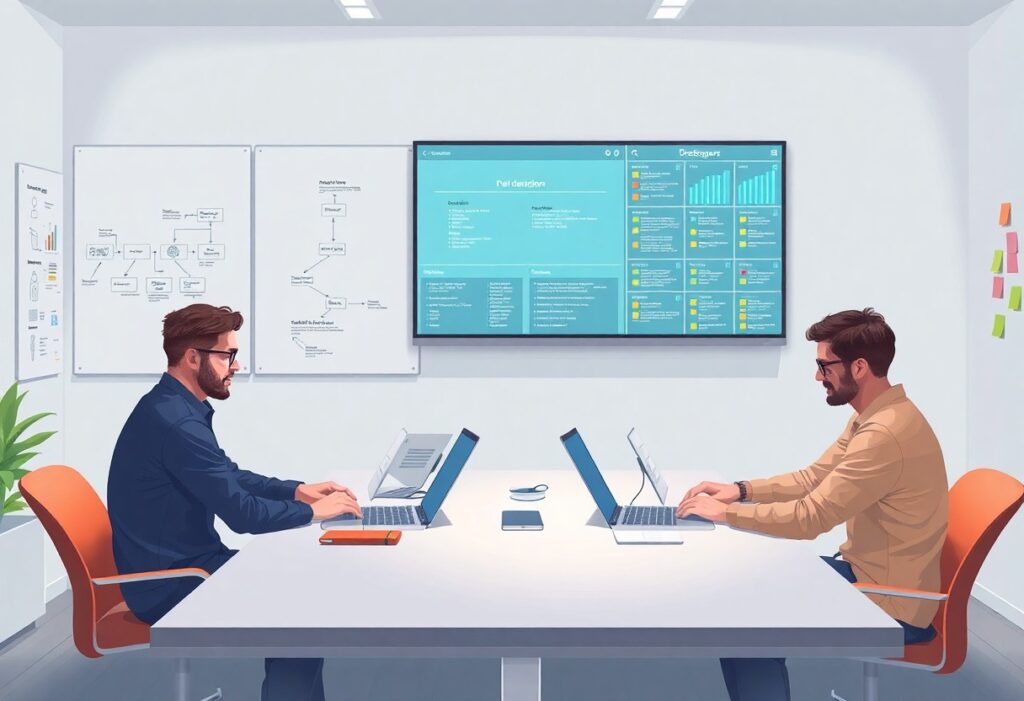
Just as your organization scales, design can become fragmented without structure. You need systems that align teams, processes, and tools to deliver consistent experiences. Design Operations builds that foundation, enabling efficiency, collaboration, and impact across growing product teams.
Defining DesignOps and Its Strategic Importance
DesignOps shapes how design teams operate at scale, aligning creative work with business objectives. You experience its impact when designers spend less time on repetitive tasks and more on solving real user problems.
It removes friction in collaboration, accelerates delivery, and ensures consistency across products. When implemented well, you see higher team morale, faster iteration cycles, and clearer design accountability within your organization.
The Three Pillars: People, Process, and Tools
People are at the heart of DesignOps-your designers, researchers, and managers need clear roles and growth paths. Without structured support, even talented teams struggle to scale effectively.
Process brings repeatability to design work, from research planning to handoff workflows. Tools amplify this by enabling version control, design system usage, and cross-functional access, ensuring your team works efficiently and cohesively.
How DesignOps Bridges the Gap Between Design and Business
Designers often speak in user needs while executives focus on KPIs and timelines. DesignOps translates between these worlds, framing design outcomes in measurable business terms you can track and report.
It ensures design efforts align with product roadmaps and company goals. You gain visibility into design’s impact, making it easier to justify resources, secure buy-in, and demonstrate value to stakeholders.
When DesignOps is embedded, your design team no longer operates in a silo. Instead, it becomes a strategic function that influences decision-making at the leadership level. You begin to see design not as a service provider but as a driver of innovation and customer satisfaction, directly contributing to business growth and operational efficiency.
Primary Types of Design Operations Models
Organizations adopt different Design Operations models based on scale, team structure, and product complexity. The most common approaches include:
- Centralized Design Ops
- Embedded Design Ops
- Hybrid Design Ops
- Product-aligned Design Ops
- Platform-based Design Ops
Perceiving your team’s workflow patterns helps determine which model aligns best with your goals.
| Model Type | Best For |
| Centralized | Uniform standards across teams |
| Embedded | Product-specific agility |
| Hybrid | Balancing consistency and flexibility |
| Platform-based | Scaling design systems at enterprise level |
Centralized vs. Embedded Structures
Centralized Design Ops places all operational functions under one umbrella team, ensuring consistency in tools, processes, and standards. This model simplifies governance and accelerates onboarding, especially in larger organizations.
Embedded structures distribute Design Ops responsibilities within product or business units. You gain deeper alignment with team goals and faster decision-making, though consistency across teams may vary.
Choosing the Right Model for Your Organization’s Maturity
Newer design teams often benefit from centralized models that establish clear processes and shared resources. As your organization scales, shifting toward hybrid or embedded models supports greater autonomy.
Perceived inefficiencies in collaboration or tool usage often signal it’s time to reassess your structure.
Organizational maturity affects how smoothly design integrates with product and engineering. Early-stage companies need simplicity and speed, while mature organizations require systems that reduce redundancy and support governance. Your current workflows, team size, and product complexity should guide structural decisions-not industry trends.
Weighing the Pros and Cons of Scaling DesignOps
Scaling DesignOps transforms how your teams deliver value, but it’s not without trade-offs. The table below outlines key advantages and challenges you’re likely to encounter as your organization grows.
| Pros | Cons |
| Improved cross-team alignment | Initial setup requires significant time |
| Consistent design system adoption | Resistance from independent teams |
| Faster product iteration cycles | Overhead in process management |
| Better resource allocation | Need for specialized roles |
| Higher quality user experiences | Complexity in tool integration |
| Clearer ownership and accountability | Risk of bureaucratic slowdowns |
| Scalable design documentation | Training demands across teams |
| Stronger feedback loops | Initial cost investment |
| Standardized workflows | Loss of team-level flexibility |
| Improved onboarding efficiency | Dependency on leadership buy-in |
Benefits of Streamlined Workflows and Increased Velocity
Your designers spend less time reinventing components and more time solving real user problems. Standardized processes reduce friction between teams, letting you ship consistent experiences faster. When everyone follows the same playbook, handoffs become predictable and delays shrink.
You’ll notice fewer bottlenecks in review cycles and faster approvals. With reusable assets and documented patterns, your team maintains momentum even during peak delivery periods. This kind of efficiency compounds over time, especially as product complexity grows.
Potential Risks and Implementation Challenges
Introducing structure can feel restrictive to teams used to autonomy. Some designers may resist adopting new tools or processes they didn’t help create. Without clear communication, your rollout risks becoming a top-down mandate rather than an enabling framework.
Tool sprawl and inconsistent adoption often emerge when integration isn’t planned carefully. You’ll need ongoing support, training, and feedback loops to ensure alignment across departments.
Change takes time. Teams accustomed to working in silos may struggle to adapt to shared systems and centralized decision-making. Missteps in rollout-like skipping pilot phases or underestimating change management-can stall progress. Your success depends on balancing standardization with flexibility, ensuring DesignOps serves your people instead of constraining them.
Essential Factors for Successful DesignOps Integration
- Clear alignment between design and business goals
- Leadership that values design outcomes
- Standardized processes across teams
- Reliable tools that support collaboration
- Dedicated resources for operational maintenance
The success of DesignOps hinges on more than tools-it depends on cultural alignment and consistent investment.
Assessing Organizational Readiness and Leadership Support
You need to evaluate whether your company prioritizes design as a strategic function. Leadership must actively support structured workflows and allocate time for process improvement. Without executive buy-in, initiatives stall or fail to scale.
Teams that thrive under DesignOps have sponsors who advocate for design efficiency. The
Evaluating Tooling Ecosystems and Resource Allocation
Your current software stack should enable consistency, not create friction. Audit tools for compatibility, ease of access, and learning curves across teams. Outdated or fragmented systems slow down delivery and increase errors.
Resource planning includes budget, personnel, and time dedicated to maintaining operations. The
Choosing the right tools means balancing functionality with team adoption. Systems that require excessive customization often lead to workarounds. Focus on platforms that reduce repetitive tasks and integrate smoothly with existing workflows. The
A Step-by-Step Roadmap to Implementing DesignOps
| Phase | Action |
| Assessment | Map current design workflows and identify inefficiencies |
| Planning | Define scope, assign roles, and set measurable goals |
| Execution | Roll out tools, processes, and governance frameworks |
| Review | Track KPIs and refine operations based on feedback |
Identifying Bottlenecks and Defining Initial Scope
You start by observing where delays occur in your design process-handoffs, feedback loops, or tool switching. These pain points reveal where DesignOps can deliver immediate value. Focus on one team or product area to avoid overreach.
Design teams often struggle with inconsistent feedback or version control. Pinpointing these issues helps you define a narrow, actionable scope. This targeted approach builds momentum without overwhelming stakeholders.
Establishing Governance and Measuring Early Success
Clear ownership ensures decisions are made efficiently. Assign a DesignOps lead or working group to oversee standards, tooling, and process adherence. This structure prevents confusion and aligns teams around shared practices.
Success isn’t assumed-it’s measured. Track metrics like design cycle time, rework rate, or stakeholder satisfaction. Early data validates your efforts and guides refinements.
Effective governance means more than rules-it creates accountability. You set expectations for collaboration, documentation, and tool usage from day one. When teams know who owns what and how progress is tracked, consistency follows naturally. Early metrics also build credibility, showing leadership that DesignOps delivers tangible improvements.
Expert Tips for Optimizing Design Team Efficiency
- Align design workflows with product and engineering timelines
- Invest in reusable UI components and pattern libraries
- Schedule regular critique sessions with clear agendas
- Automate repetitive tasks like asset exporting and versioning
- Use shared dashboards to track project status and bottlenecks
Assume that consistency in process directly impacts output quality and team morale.
Standardizing Design Systems and Documentation
Design systems eliminate guesswork by providing clear, accessible guidelines for components, typography, and interactions. When every team member uses the same language, fewer errors occur during handoff.
Well-maintained documentation reduces onboarding time and ensures continuity during team changes. Assume that a living system evolves with feedback and usage, not just top-down mandates.
Enhancing Cross-Functional Collaboration and Communication
Design doesn’t exist in isolation-your work intersects with product, engineering, and marketing goals daily. Syncing early and often prevents rework and aligns priorities across departments.
Shared tools and regular check-ins create transparency and build trust with non-design stakeholders. Assume that clear communication reduces friction and accelerates decision-making.
Effective collaboration means inviting engineers to design reviews and attending sprint planning with product managers. These small integrations prevent silos and ensure design input shapes strategy from the start, not just the final deliverables. When teams speak the same language and share goals, projects move faster and with fewer misunderstandings.
Conclusion
Now you understand that Design Operations is the structure that enables your design teams to work efficiently and scale effectively. It aligns people, processes, and tools so your organization can deliver consistent, high-quality experiences.
You build Design Operations by standardizing workflows, improving collaboration, and measuring impact. It’s not a one-time project but an ongoing practice that grows with your team. When implemented well, it removes friction and lets designers focus on what they do best-designing solutions that meet real user needs.